Cathy NguyenInstructional Designer

Instructional Design · Learning Experience · Digital Content

Making complex knowledge clear, usable, and engaging.

I'm Cathy Nguyen, an instructional designer with more than ten years in digital learning. I start by understanding the people, the tools, and the constraints on the ground, then I structure the content and design the experience. I can carry a project from the first needs analysis to a finished module, video, or interactive prototype.

Based in France · Fluent in French & English · Open to international opportunities & relocation

Portrait of Cathy Nguyen in a dark blazer, holding a tablet and stylus.
  • 10+ yearsin digital learning, in-house and with clients
  • Master's degreeInstructional design (ingénierie pédagogique), Sorbonne
  • Design + buildLearning design, video, motion design, interactive prototypes

Selected work

Three projects, from need to delivery.

Client names are kept confidential. Original materials are in French; descriptions below explain what each one shows.

01

Digital Onboarding & Knowledge Access

A digital onboarding program that helps new insurance brokers understand the product range, get started with their business tools, and find key information quickly.

  • Client engagement
  • Large insurance group
  • Program lead & learning designer

Launch video I produced to introduce the program internally. French audio.

The challenge

New brokers had a lot to absorb at once: the product offer, the business tools, and where to find the right information. The goal was to make that first stretch easier to navigate.

My role

I led the design and coordination of the program. Roughly 80% of my time went to project management and coordination, 20% to content design and production.

  • Gathered and framed needs with business teams and sales leadership
  • Designed the learning path
  • Coordinated contributors, trainers, and subject-matter experts
  • Set up, published, and monitored the program on the LMS
  • Supported the rollout and ongoing improvements

Design decisions

  • Organized the program around the three things new brokers need first: the offer, the tools, and access to information.
  • Presented the product range as an interactive catalog that brokers can explore on their own.
  • Produced a short video to announce the program’s launch.

The solution

A structured digital learning path combining modules and digital resources, an interactive product catalog, and a launch video.

Outcomes & learnings

2.5× more new hires trained and activated.

This figure reflects the onboarding effort as a whole, shared with the business teams. It is not attributed to the learning materials alone.

  • Information Architecture
  • Learning Design
  • Cross-functional Collaboration
  • Project Delivery
02

Interactive Video Learning Experience

A training module that pairs filmed explanations with quizzes. Each answer triggers its own video feedback.

  • In-house role
  • Construction group
  • Digital Learning Manager

Excerpt of the module: filmed speaker, quiz, and video feedback. French audio.

The challenge

A technical training topic needed to feel more concrete and engaging than a written document, using the voice of a real speaker.

My role

As Digital Learning Manager in the training team of a construction group, I filmed the speaker, scripted the interactions, and built the module in Articulate Storyline.

Design decisions

  • Why an interaction: the quiz asks learners to commit to an answer before they get the explanation, instead of only watching.
  • What comes when: the explanation arrives right after the learner's choice, while the question is still fresh.
  • How feedback helps: right and wrong answers branch to different videos, so the learner hears a response that matches what they actually chose.

The solution

An interactive Storyline module built on video capture, with quizzes and conditional video feedback.

Outcomes & learnings

No outcome data was documented for this project.

  • Instructional Design
  • Interaction Design
  • Multimedia Production
  • Scenario-based Learning
03

Learning Through Decisions

A pixel-art training prototype where security officers practice real situations by making choices, starting with calming an angry customer.

  • Independent interactive learning prototype
  • Private security scenarios
  • Solo project
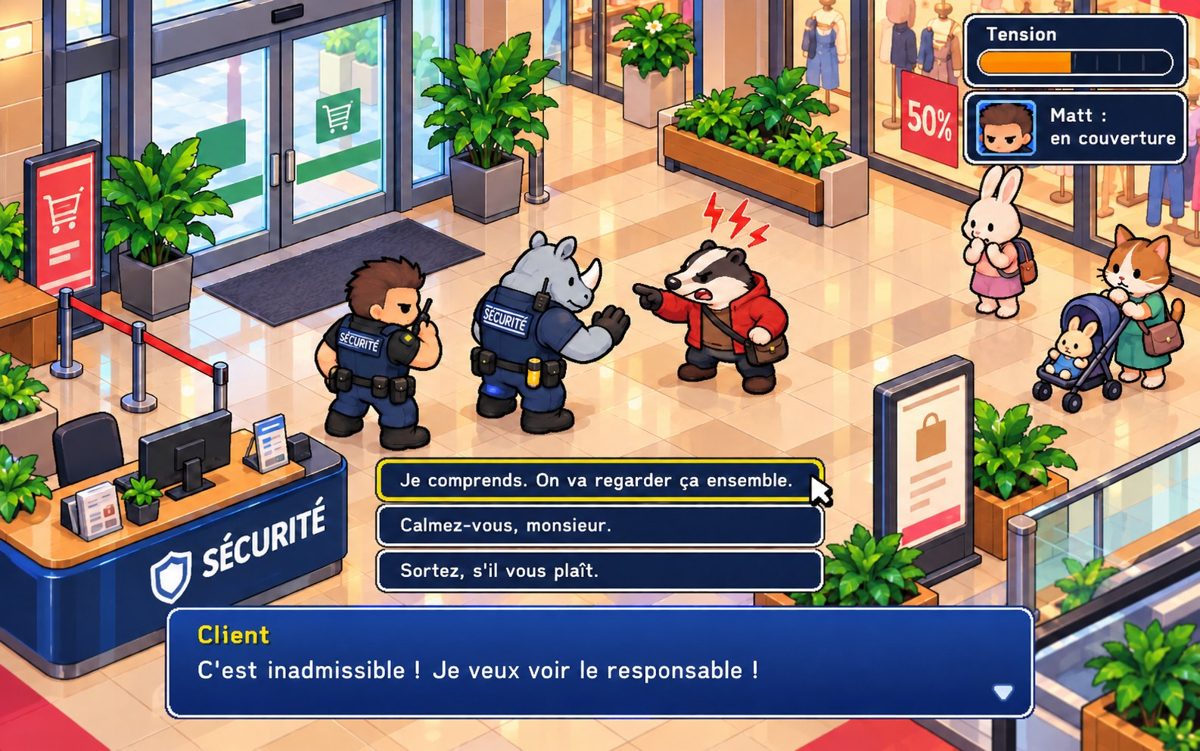
Game screen: two security officers face an angry customer at the security desk of a shopping mall. A tension gauge is shown at the top right and three reply options at the bottom.

The featured scene: the customer is upset, and the player picks one of three replies. The tension gauge sits at the top right.

The challenge

Security work involves decisions in situations that are often unpredictable. Some of these skills, like calming a tense customer, are hard to practice with slides or a standard quiz. This prototype explores how those moments can be staged so the player learns by choosing and seeing the consequences.

My role

I built it on my own, as a personal lab for interactive learning:

  • Scenario design and dialogue writing
  • Player choices, branching, feedback, and consequences
  • Interface design
  • Art direction and pixel art
  • Development in JavaScript / Canvas

Featured scene: de-escalating an angry customer

  1. A customer arrives at the security desk: "This is unacceptable! I want to see the manager!"
  2. The player chooses a reply:
    • "I understand. Let's look into it together."Je comprends. On va regarder ça ensemble.
    • "Calm down, sir."Calmez-vous, monsieur.
    • "Please leave."Sortez, s'il vous plaît.
  3. The tension gauge reacts to that choice, so the consequence is visible right away.

Design decisions

  • The three replies differ in attitude, not in information. The decision is about how to respond, which is the skill being practiced.
  • A tension gauge turns an invisible social signal into something the player can read at a glance.
  • Short dialogue lines and a familiar game interface keep attention on the situation, not on the controls.

The solution

A playable browser prototype with several scenes: the angry customer, a patrol with a radio report, an unattended bag, and a concert where the player spots people in distress as the heat and the timer rise.

Outcomes & learnings

A personal prototype, not deployed with a client. No user testing has been documented yet. Planned next steps include menus, levels, and SCORM packaging for LMS delivery.

  • UX Thinking
  • Interactive Prototyping
  • Game Design
  • Learning Experience Design
  • Creative Development

Additional work

More of what I design and build.

In-house · Construction

Technical E-learning: Workplace Safety

A safety training module for construction teams, built in Articulate Storyline. I organized the content into chapters so learners can see where they are and move through it easily, and produced a teaser video to announce the launch.

Video: launch teaser, French audio.

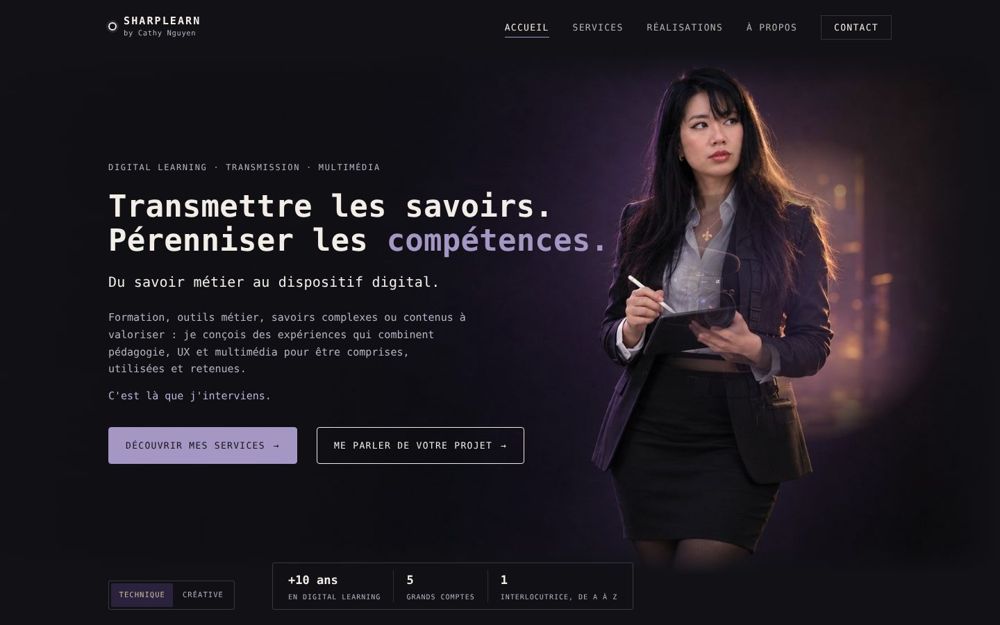
Screenshot of the SharpLearn home page: dark interface, monospace headline and a portrait of Cathy.
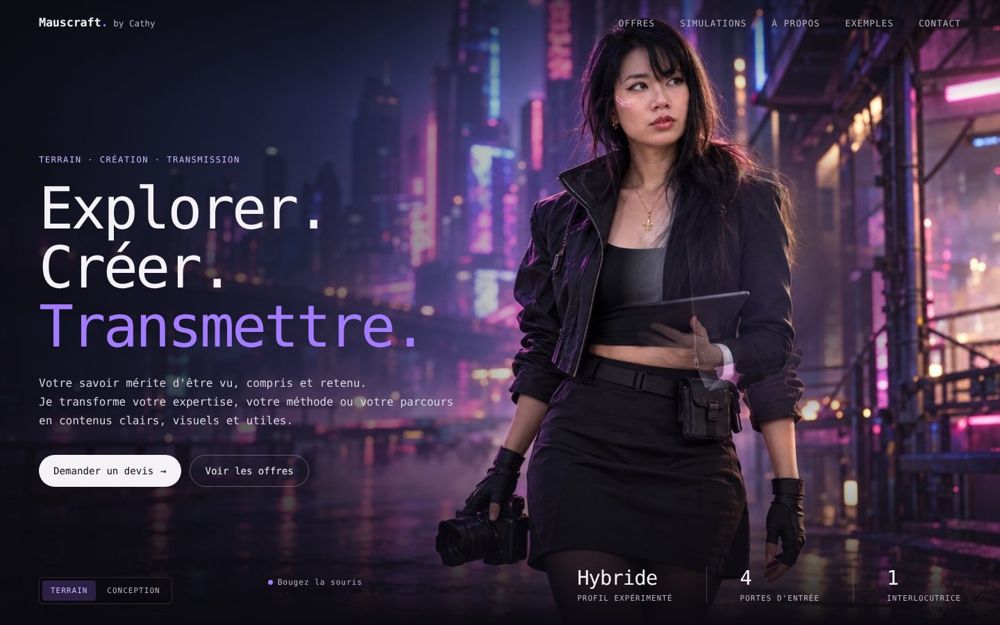
Screenshot of the Mauscraft home page: large headline over a neon city photo of Cathy holding a camera.

Personal · Web

Digital Product & Web Design

I designed and built my two websites, SharpLearn and Mauscraft: content structure, navigation, interface, and visual identity. Small sites, but every page, component, and line of copy is my own work.

Both sites are in French.

Earlier work includes e-learning modules for security officers in a large private security group and a 3D radar model for defense training. Details in French on sharplearn.fr/realisations.

How I work

Understand Structure Design Build Improve

The steps I follow, scaled to the size of each project.

  1. Understand

    Meet the experts, look at how the work is really done, and talk to users. Clarify the context and the constraints before proposing anything.

  2. Structure

    Sort what matters, set priorities, and turn it into an architecture, scripts, and storyboards, validated before production starts.

  3. Design

    Choose the formats, paths, and interactions that fit the audience and the topic.

  4. Build

    Produce the modules, videos, and guides, in batches so issues are caught early.

  5. Improve

    Support the rollout and adjust using the feedback that comes back.

About me

From mechanics to learning design.

My path is a little unusual. I started in mechanical engineering, moved into animation and game development, then multimedia art direction, and went on to earn a master's degree in instructional design at the Sorbonne.

Since then, I've spent more than ten years in digital learning, both in-house and with clients, on projects in insurance, construction, private security, and defense.

I'm observant by nature. Before designing anything, I want to see how things actually work, understand the system, and hear from the people who use it. That habit, combined with a technical background, is what helps me make complex topics clear.

I also like testing new tools, including AI, especially when they take repetitive work off the table. It can speed things up a lot. Deciding what good looks like is still a human job.

International opportunities

Open to building meaningful learning and digital experiences with international teams.

I'm looking for a full-time role with an international team, in Europe or the United States. If you're hiring for instructional design, learning experience, or content design, I'd be glad to talk.

cathy@sharplearn.fr · Based in France